
SERMI Records add-on
Every key job, checked and signed
For garages and auto-locksmiths approved under SERMI. Scan the VIN and the V5C, check the ID and the authority, take the customer's signature on screen, and keep a sealed record of every key and immobiliser job, on the same booking as the deposit, the invoice and the payment.
What SERMI asks
SERMI lets approved independent garages get security information from vehicle manufacturers for jobs such as programming keys.
Before each job you check the vehicle, the person and their authority, get a signed repair order, and keep the evidence for inspection. The scheme's own rules are on the SERMI UK FAQ.
METBooker is not part of the SERMI scheme and does not approve garages. Your approval comes from RMISC, and the duties belong to your garage. METBooker keeps the record, makes sure every field it asks for is filled in before it can be signed, and reminds you of your deadlines.
- Add-on price
- £15 a month, plus VAT
- Records kept
- six years from the job date, or the date you refused the job
- ID photos
- Not kept unless you choose to
How a job works
Press Start SERMI record on the booking. The registration, make and model are already there. Each step saves as you go and is finished before anyone connects to the manufacturer.
- Who brought it
Counter, fleet or rental, a mobile job, or work sent by another business. The form changes to suit.
- Scan the VIN
From the VIN plate or its barcode, shown next to the V5C's VIN as a match or a difference.
- Scan the V5C
Registration, VIN, issue date and keeper read for your technician to confirm.
- The person
Their name, the kind of ID you saw, and its number.
- Their authority
How they are allowed to have the work done, with evidence where needed.
- Sign and seal
Signed on screen, then sealed and locked. Do not proceed is on every step.
Ready for inspection
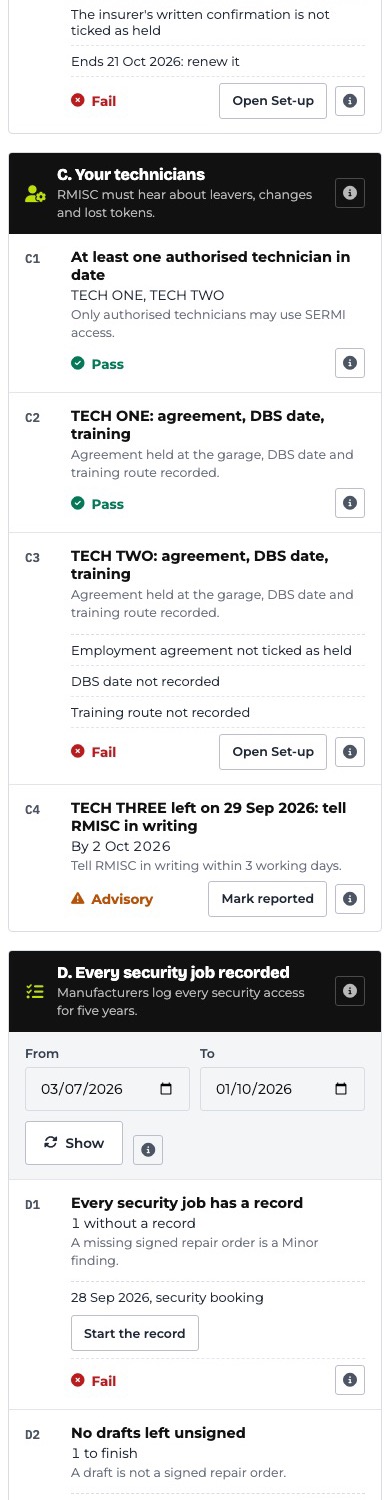
When a record is signed, METBooker seals a snapshot of it: each field is fingerprinted with a keyed hash, the record is given its own fingerprint and chained to the one before, and Verify records shows if anything has changed. That makes records tamper-evident; no one using METBooker can edit a signed record. A job you refuse is locked with your reason. An inspection pack gathers every record for a date range or a vehicle into one PDF, and the overview lays out your readiness line by line.
Records are kept with the operational intent of the retention period below. Switch the add-on off and your records stay readable and downloadable for as long as you must keep them. The scheduled off-site backup covers Firestore exports, which hold the record data, but not SERMI photos or other Cloud Storage files.
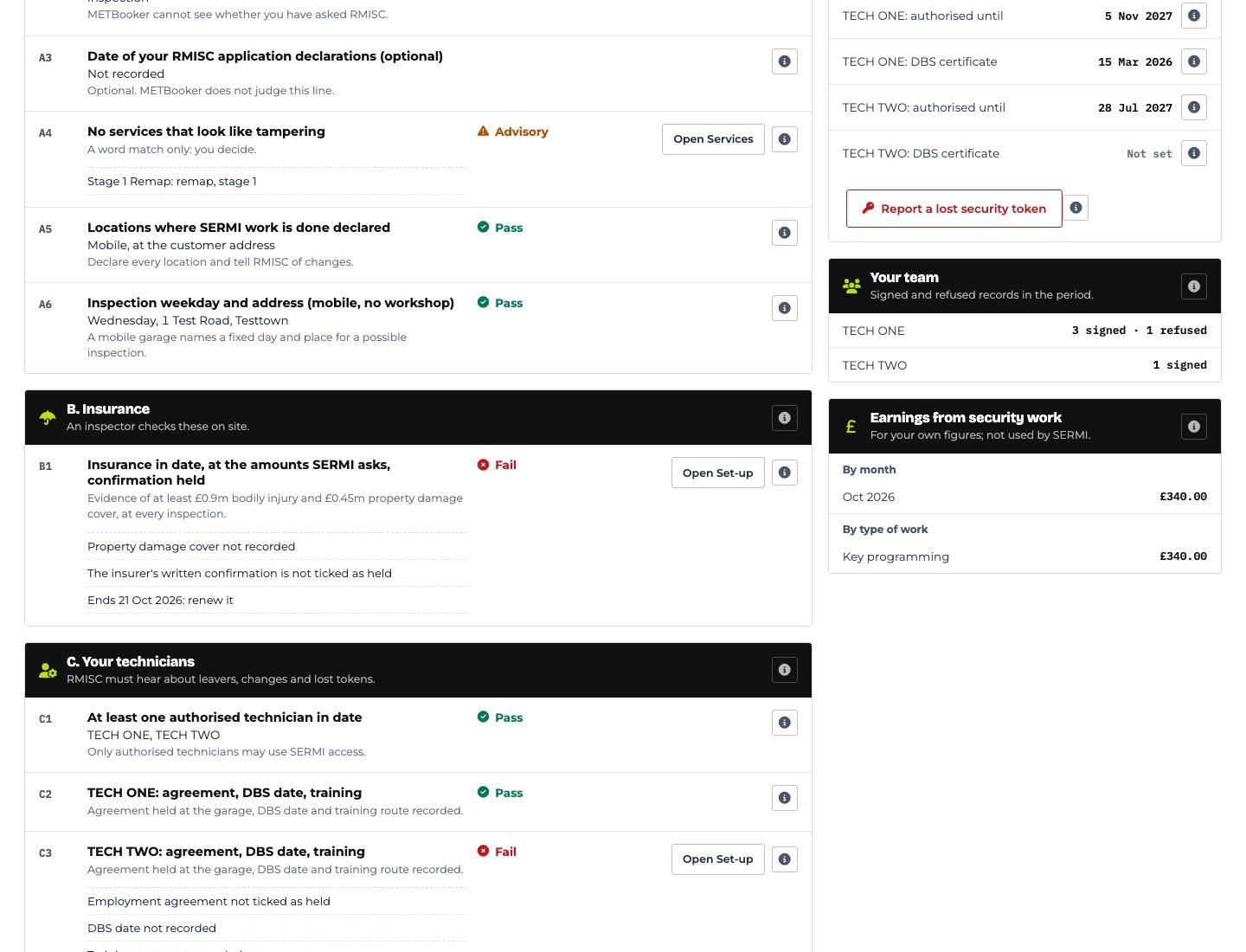
A SERMI record, screen by screen
SERMI questions
Does METBooker approve my garage for SERMI?
No. METBooker is not part of the SERMI scheme and does not approve garages. Approval comes from RMISC, and the duties belong to your garage. METBooker keeps the record and makes sure every field it asks for is filled in before it can be signed.
Can a signed record be changed?
No one using METBooker can edit a signed record, including you and your staff. To correct one, a Super Admin voids it with a reason, the customer signs a replacement, and the original stays linked to it. Each signed record is fingerprinted and chained to the one before, so a change would show up when records are verified.
Does it check whether a vehicle is stolen?
No. You record the stolen-vehicle check you run with your own provider. If that check flags the vehicle, the record cannot be signed off.
Are SERMI photos included in the off-site backup?
No. The scheduled off-site backup covers Firestore exports, which include the record data. SERMI photos are stored in Cloud Storage, which is outside that scheduled layer.
Do you keep copies of ID documents?
Not by default. SERMI asks for the type of ID and its number, so that is what METBooker records. You can choose to keep a photo.
Where next
SERMI records sit on the same bookings, payments and invoices as the rest of your work.